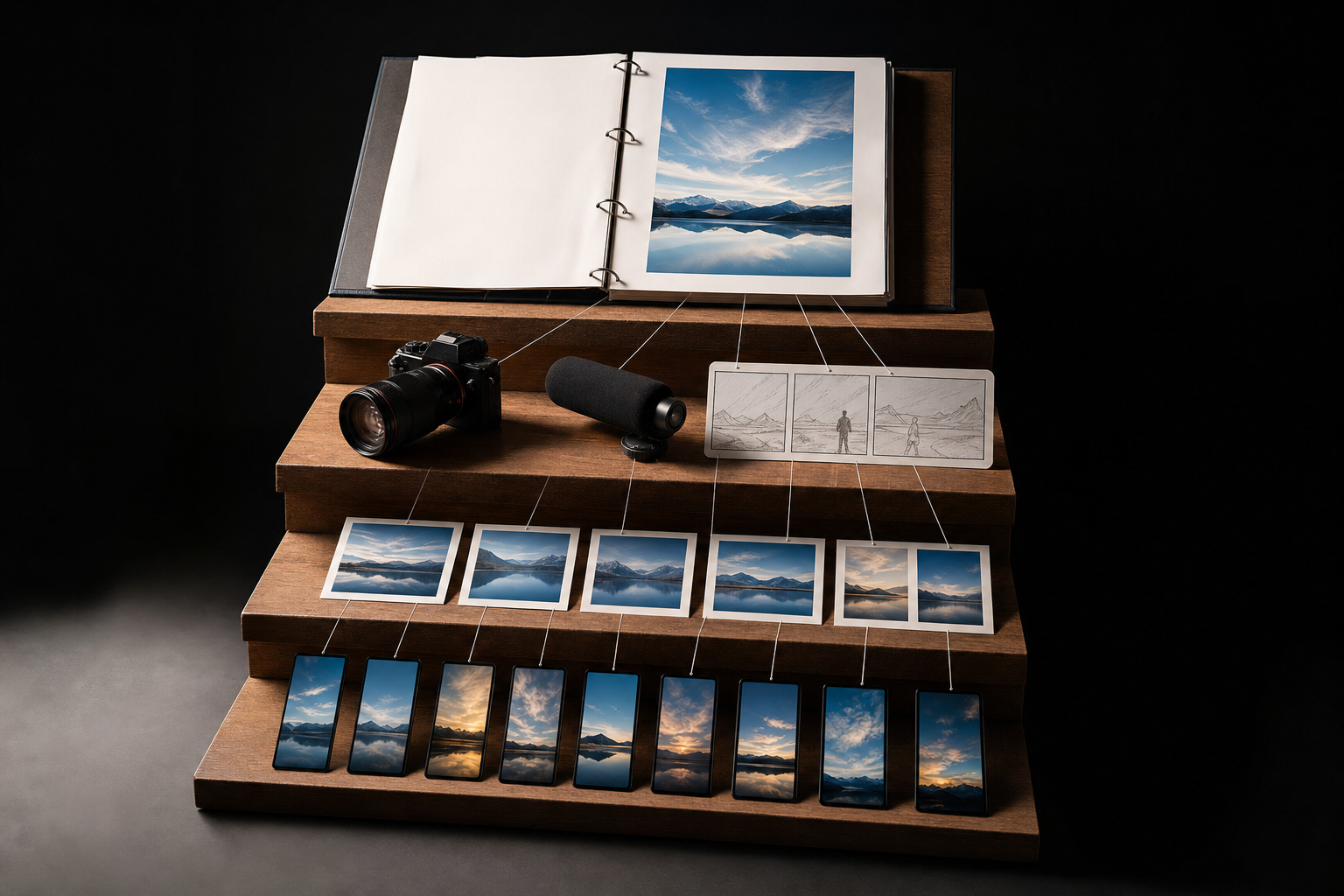
You already did the hard part. You researched, wrote, and published a blog post. But if that post lives only on your website, most of your audience will never see it — they're scrolling Instagram, TikTok, and Facebook instead. The fix isn't writing more from scratch. It's turning one article into a bundle of social content: a carousel, a Reel script, and a handful of captions. Here's exactly how to map that out, step by step.
What does it mean to repurpose a blog post into social content?
Repurposing means taking the ideas in one written article and reshaping them into formats that fit how people consume content on each platform. You're not copy-pasting the blog into a caption. You're extracting the core points and rebuilding them as a swipeable carousel, a spoken-word video script, and short standalone posts.
Think of the blog post as your source of truth. Everything downstream pulls from it, but each format has its own job: a carousel teaches something visually, a Reel hooks and delivers one idea fast, and captions spark a reaction or a save. One post can realistically become five to ten pieces of social content without repeating yourself.
How do I decide which parts of the post to reuse?
Not every paragraph deserves a second life. Open your article and highlight the parts that stand on their own — a surprising stat you cited, a step-by-step process, a strong opinion, a before/after, or a mistake you see people make. Those are your raw material.
A good rule: if a sentence would make someone stop and think even without the surrounding context, it's a candidate. Ignore transitions, throat-clearing intros, and anything that only makes sense after 300 words of setup. You want the load-bearing ideas.
- The single biggest takeaway (this becomes your Reel hook and one caption)
- A list or set of steps (this becomes the spine of your carousel)
- One contrarian or surprising point (this becomes a punchy standalone caption)
- A concrete example or mini story (this becomes a relatable caption or Reel)
- A common mistake and the fix (this becomes a carousel slide or Reel)
How do I turn a blog post into a carousel?
A carousel is basically your article's outline, slimmed down and made scannable. The structure is predictable, which is a good thing — you can reuse it every time.
- Slide 1 (hook): the promise or problem, in under 10 words. Make people want to swipe.
- Slides 2–7 (body): one idea per slide. Pull each from a section heading or a key point in the post. Keep it to a short phrase plus one supporting line.
- Slide 8 (payoff): the summary or the 'so what' — the change the reader gets.
- Final slide (CTA): tell them to save it, follow, or read the full post.
The mistake people make is cramming a paragraph onto each slide. Don't. If a point needs more than two short lines, it's probably two slides. Six to eight slides is the sweet spot. If you'd rather not fight with design, an AI carousel generator can turn your bullet points into on-brand slides so you can focus on the words.
How do I write a Reel script from a blog post?
A Reel does one thing well. Don't try to summarize the whole article — pick your single strongest point and build 20–40 seconds around it. The structure is hook, deliver, close.
- Hook (0–3 sec): the boldest line from your post, said plainly. This is the whole game — if the first three seconds are weak, nothing else matters.
- Deliver (3–25 sec): explain the one idea. Use 2–3 short beats, not a lecture. Talk like you'd explain it to a friend.
- Close (last 5 sec): a quick recap plus one nudge — follow for more, or check the full breakdown.
Before you commit to a hook, test it. A hook that reads fine on paper can still fall flat on camera. Run your opening line through the free Scroll-Stopper Score to see whether it actually earns the swipe, then tweak and re-check.
If filming yourself isn't your thing, you can build the video around text, b-roll, and voiceover instead — that's what an AI video generator for social media is for. The script still comes from your post either way.
How do I write 5 captions from one article?
Each caption should be able to stand alone and pull from a different angle in the post. Here's a reliable set of five so you're never staring at a blank box:
- The takeaway caption: state your single biggest point as a bold claim, then back it up in two lines.
- The mistake caption: 'Most people get X wrong. Here's why.' Then the fix.
- The list caption: 3–5 quick tips pulled from the post, one per line.
- The story caption: a short personal example that led to the insight.
- The question caption: pose the exact problem your post solves and invite replies.
Spread these out over a couple of weeks rather than posting all five at once. Same source, different hooks, so it never feels repetitive to your audience.
How do I keep everything sounding like me and not like generic AI?
This is where most repurposing goes sideways. You run the post through a generic prompt, and the carousel and captions come out sounding like a corporate press release — flat, safe, and forgettable. Your blog post has a voice. The social versions should too.
The fix is to give AI a reference for how you actually write: your phrasing, your rhythm, the words you'd never use. You can train that in with the free Make AI Sound Like You tool, so the captions read like you wrote them at your best, not like a template.
How often should I repurpose, and where do I schedule it all?
You don't need a new blog post for every day of the week. One solid article can feed your social calendar for two to three weeks if you spread the formats out. A realistic cadence: publish the carousel first, drop the Reel a few days later, then sprinkle the captions across the following weeks.
Once you've got the bundle, load it into a scheduler so you're not posting manually every day. VibeDay lets you create the carousel and video, then queue everything across Instagram, TikTok, Facebook, and more from one place — publishing to each platform goes through their approval-gated connections, so you review before anything goes live. If you're comparing options, here's how it stacks up as a Buffer alternative.
Key takeaways
- One blog post can become a carousel, a Reel script, and five captions — no new research needed.
- Extract the load-bearing ideas: takeaways, steps, mistakes, and examples.
- Carousel = your outline, one idea per slide. Reel = one point, hook-deliver-close.
- Write five captions from five different angles and spread them over weeks.
- Test hooks before posting, and keep the writing in your own voice.
- Schedule the whole bundle so one article carries you for two to three weeks.
How many social posts can I realistically get from one blog post?
For most articles, five to ten pieces is realistic: one carousel, one or two Reels, and five captions. Longer, list-heavy posts can yield more because each point can become its own slide, video, or caption. The limit is usually how many genuinely distinct ideas the post contains — don't stretch thin content just to hit a number.
Will reusing my blog content hurt my SEO or count as duplicate content?
No. Social posts aren't indexed the way web pages are, and you're reshaping ideas rather than republishing the article verbatim. Repurposing to social actually helps by driving more traffic and links back to the original post. Duplicate-content concerns apply to identical pages on the web, not to a carousel that summarizes your article.
Should I link back to the full blog post in every social piece?
Not in every single one, but often. Use your carousel's final slide and your caption CTAs to point people to the full post when they want depth. For pure engagement posts, it's fine to skip the link and just invite comments. Vary it so your feed doesn't read like one long ad for your website.
How long should the Reel be if it's based on a longer article?
Keep it to 20–40 seconds and cover one idea, not the whole article. A longer post just means you have more Reel ideas to make — one per key point — rather than one long video. Short, single-idea Reels almost always outperform a rushed summary of everything.
What if the blog post is old — is it still worth repurposing?
Yes, and older posts are often the best candidates. If a post performed well or still gets traffic, the ideas are proven. Repurposing an evergreen article from a year ago is essentially free content because you've already validated that people care about the topic.
Do I need different captions for each platform?
The core idea can stay the same, but tone and length should flex. Instagram tolerates longer, story-driven captions; TikTok favors short and punchy; Facebook sits in between. You don't need to rewrite from zero — adjust the hook and length per platform while keeping the same underlying point.
Can I automate this whole process?
Parts of it, yes. You can use AI to draft the carousel, script, and captions from your post, then edit for accuracy and voice. VibeDay helps you create the formats and schedule them across platforms, but always review before publishing — AI drafts are a starting point, not a finished post.
Turn your next blog post into a full social bundle — carousel, video, and captions — and schedule it all in one place.
Start with VibeDay →Put your content engine on autopilot
VibeDay turns one idea into scroll-stopping posts — image, video, and carousel — captioned for every platform.
Start your free 7-day trial →